
An Authorized Borrower User is able to access the project/s with the ability to take the same actions as the Primary Borrower User. These users can be added by either the Lender or the Borrower.
How to Add Authorized Borrower Users
- Open the User Menu (top right corner of the Screen)
- Select Organization settings
- Go to the User's Tab
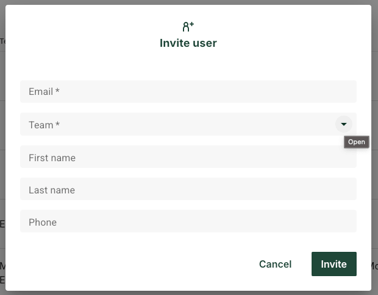
- Click Invite user
- Fill out the form
- Click Invite
When you are finished the user will now list under the Users Tab with a status of Invited.
Please note that the user will only have access to Projects that are associated to the Team/s you select in this form.